
Map the client journey before choosing software
Write the states a client moves through: considering an offer, purchasing, providing context, starting work, reviewing progress, approving delivery, requesting support, and continuing. For each state, record the client action, your team action, required information, and success signal. This prevents a portal from becoming a decorative dashboard that still sends clients back to email and spreadsheets.
- Map the journey from offer to renewal
- Name the action and owner at every state
- Identify information that must persist
- Remove tools that do not serve a client action
Keep the commercial and delivery record connected
The package, payment, intake answers, project, files, requests, and renewal should refer to the same client relationship. When these records are split, staff re-enter data and clients repeat themselves. Choose a system where purchase creates the next workflow rather than ending at a receipt.
- Connect the purchased package to onboarding
- Keep payment and delivery context together
- Attach requests to the correct client and project
- Preserve history when the client buys again
Give clients one obvious home
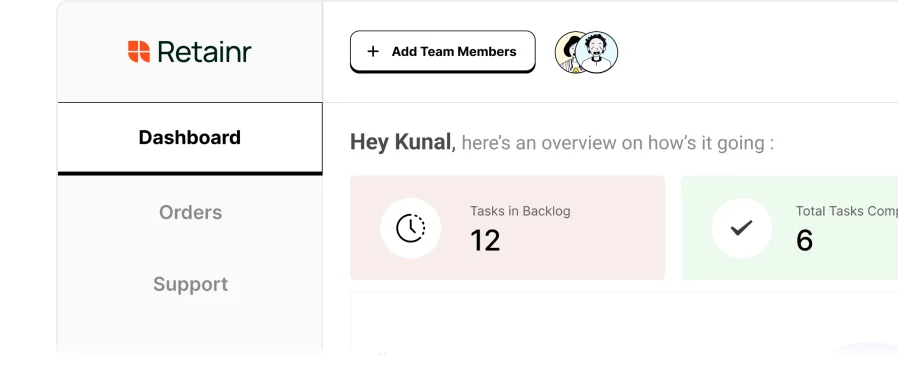
A portal should answer four questions immediately: what did I buy, what happens next, where is the work, and where do I ask for help? Use your brand, a clear navigation structure, and status language clients understand. Do not expose an internal project-management taxonomy merely because the software supports it.
- Show the active service and next milestone
- Make uploads, approvals, and support easy to find
- Use client language instead of internal process labels
- Keep the experience usable on mobile
Automate state changes, not trust
Automate project creation, standard tasks, confirmations, reminders, and internal routing. Keep strategic updates, sensitive feedback, scope discussions, and reassurance personal. The portal should remove avoidable coordination while making the human relationship more visible.
- Create standard delivery steps from the package
- Send precise reminders for missing actions
- Route support requests with context
- Use personal communication for judgment-heavy moments
Test the portal with real client tasks
Ask a new user to buy a package, find the intake, upload a file, locate the next milestone, submit a request, and understand renewal without guidance. Observe where they hesitate. Fix labels, sequence, and visibility before adding features. A short successful path matters more than a large feature list.
- Test purchase-to-intake continuity
- Test file upload and approval discovery
- Test support submission and response visibility
- Test the recurring-plan next step
Use one operating system with deliberate integrations
Keep Retainr as the client-facing system of record, then integrate only specialist tools that perform a necessary function. An analytics platform, design tool, code repository, or automation service may still belong in delivery. The client should not need accounts in every internal tool. Link or synchronize the result while keeping the relationship, status, support, and commercial history in one place.
- Choose one client-facing source of truth
- Integrate specialist tools for defined jobs
- Do not expose internal tool complexity to the client
- Review every integration for ownership and failure handling
Choose one operational definition of success
Before changing the workflow described in this guide, write down the decision or behaviour that should improve and the evidence that would justify that conclusion. The primary measure is time to the client's next action, avoidable support volume, and time spent reconstructing context. Record the definition, baseline, measurement window, and owner before changing the process. Add a small number of diagnostic signals only when they explain the commercial result. This prevents niche freelancers and small service teams from replacing vague activity with a more elaborate dashboard that still cannot guide the next decision.
- Primary measure: time to the client's next action, avoidable support volume, and time spent reconstructing context
- Record the baseline before changing the process
- Use the same definition before and after
- Name who reviews the evidence and decides what happens next
Turn the advice into a fixed starting engagement
A reader should be able to use this guide independently, but some buyers will need expert diagnosis and implementation. A credible first paid step is a client journey and tool-fragmentation audit. Publish who it is for, the question it resolves, the evidence reviewed, the deliverable, timeline, price, and exclusions. Keep it small enough to create a real decision before a larger commitment. This gives the client a useful result and lets the specialist qualify fit without writing unpaid custom strategy for every enquiry.
- Starter offer: client journey and tool-fragmentation audit
- Promise one decision, plan, or visible result
- State price, timeline, dependencies, and exclusions
- Connect the package directly to its own onboarding path
Collect the minimum evidence required to begin
Work backward from the first useful decision and request only information that changes how work starts. Explain why each sensitive input is required, who can access it, and how missing context affects the timeline. Review the intake within one business day and ask focused follow-up questions inside the client record. Long generic questionnaires create abandonment while still missing the evidence the expert needs. For this workflow, the starting brief should cover the following inputs.
- offer and payment path
- intake forms
- project and file systems
- support channels
- approval steps
- client access requirements
Run a pre-mortem before automating or scaling
Imagine the work has produced a poor client outcome despite being delivered on time. Identify the assumptions, access gaps, approval failures, and misleading measures most likely to cause it. Turn each risk into a scope boundary, checklist item, review gate, permission rule, or visible exception path. The goal is not bureaucracy. It is to preserve the judgment the client is paying for while making repeated delivery safer and easier to improve.
- Prevent adding a portal without removing duplicate paths
- Prevent migrating records without ownership
- Prevent weak permissions for sensitive files
- Prevent forcing clients to learn an internal tool structure
Use AI as an assistant with a named human owner
AI can accelerate research, classification, transformation, drafting, and repetitive analysis, but it should not obscure responsibility. Decide which inputs are permitted, what claims require verification, where first-hand expertise must replace generated language, and who approves the final output. Keep confidential client material out of unapproved systems. Save the source, prompt context, material edits, and final decision when the work affects a client recommendation. The efficiency is only real after review and correction time are included.
- Classify client data before using an AI tool
- Verify changing facts against primary sources
- Keep diagnosis, exceptions, and sensitive communication human
- Measure time saved after review, correction, and failure handling
Create proof a future buyer can inspect
A polished final screenshot is not enough. Build a current-state map showing every client action, system handoff, duplicated record, permission boundary, delay, and proposed source of truth. Explain the starting condition, relevant constraint, expert decision, implementation, measurement window, result, and what remains uncertain. Remove confidential details and do not imply causation the evidence cannot support. Strong proof helps a future buyer understand how you think, while a current client can see what changed and why the next recommendation is relevant.
- Show the starting condition and commercial context
- Name the expert decision and the rejected alternative
- Use the agreed success definition
- End with who should use the approach and who should not
Design the continuation before the first engagement ends
The natural next service is monthly client-operations maintenance and workflow improvement. Introduce it when the first result reveals an ongoing need, not as a surprise after the project closes. Define what is reviewed or delivered each cycle, how priorities are chosen, what capacity and response boundaries apply, and how the client can pause or change scope. A useful recurring offer protects, extends, or repeatedly produces an outcome. Undefined access to the freelancer is not a durable retainer.
- Continuation: monthly client-operations maintenance and workflow improvement
- Ongoing measure: time to the client's next action, avoidable support volume, and time spent reconstructing context
- Set a clear cadence, capacity, and response boundary
- Review relevance before renewal or material scope change
Use this two-week field plan
Days one and two: document the current workflow and baseline. Days three and four: package the client journey and tool-fragmentation audit, including scope, price, exclusions, and evidence required. Day five: build the offer-specific intake and first milestone. During week two, invite a small number of relevant clients, past clients, or warm prospects to review or buy the package. Deliver the first useful decision, record every hesitation, and improve the offer before increasing promotion. This creates a live learning loop instead of another planning document.
- Publish one small paid starting offer
- Prepare the first milestone before promoting it
- Invite only buyers for whom the problem is relevant
- Revise the package from real questions and delivery evidence
References used in this guide
These sources support claims that may change over time. The practical recommendations and operating framework are Retainr's editorial synthesis.